

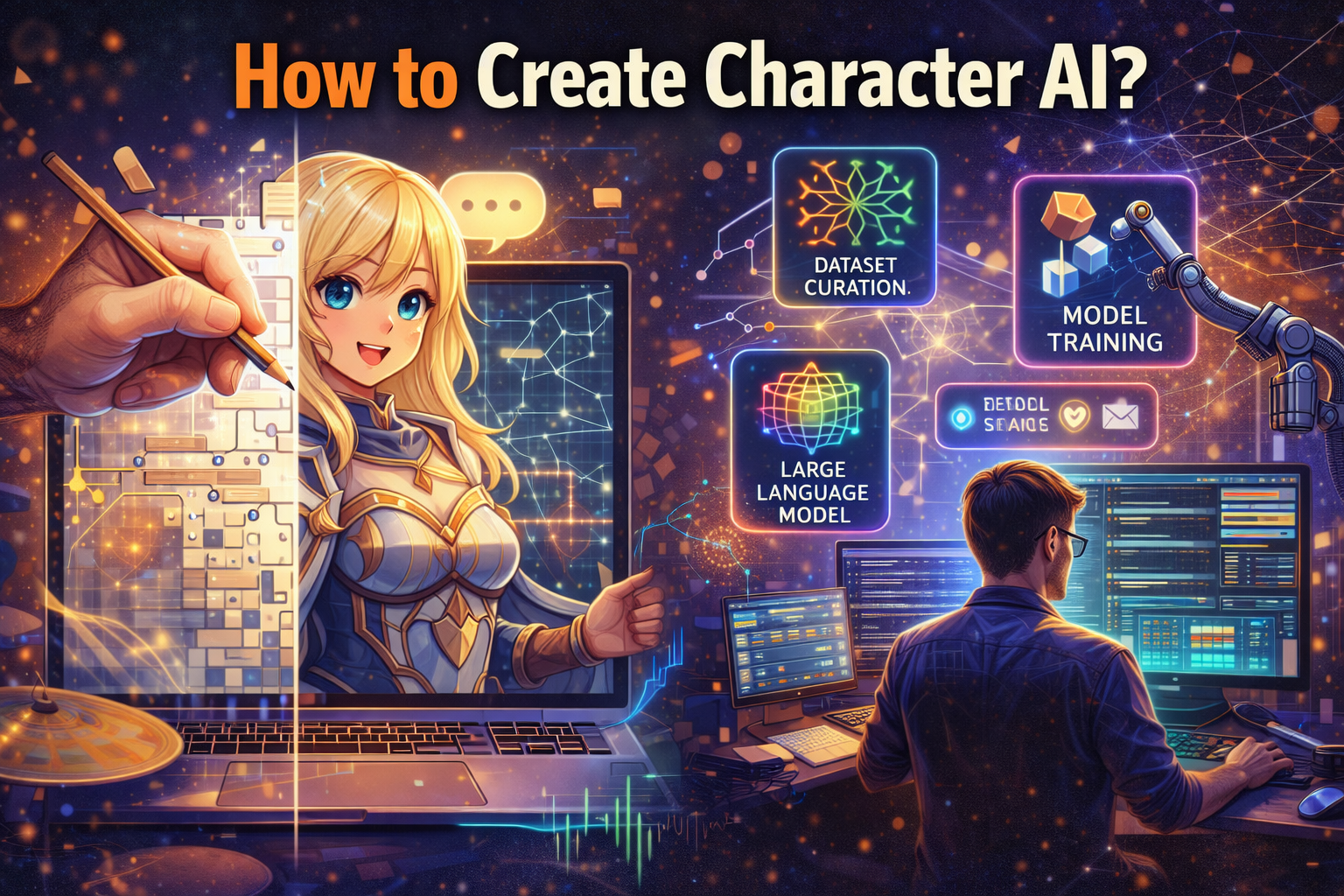
In the rapidly evolving landscape of artificial intelligence, the ability to create bespoke digital personalities has become increasingly accessible. Whether you’re an aspiring storyteller, a developer, or simply curious, understanding how to create character AI allows you to bring unique conversational agents to life. This comprehensive guide, updated for 2026, will walk you through the entire process, from conceptualization to advanced refinement, ensuring your AI character is engaging, consistent, and truly reflective of your vision.
Key Takeaways
- Concept is King: A clear, well-defined character concept is the foundation for a successful AI.
- Detail in Description: Utilize the “Long Description” to imbue your AI with its core personality, backstory, and behavioral rules.
- Example Dialogue is Crucial: Provide extensive and varied example conversations to accurately train your AI’s speech patterns and responses.
- Iterate and Refine: Character creation is an ongoing process; regularly test and adjust your AI’s settings and dialogue for optimal performance.
- Platform Nuances: While principles are similar, specific steps may vary slightly across different Character AI platforms.
Understanding the Core of Character AI
Before diving into the practical steps of how to create character AI, it’s essential to grasp what makes these digital entities tick. At its heart, a character AI leverages advanced Large Language Models (LLMs) to process prompts and generate human-like text responses [1]. Your role as a creator is to provide the LLM with sufficient context and guidance to embody a specific persona rather than acting as a generic assistant.
Large Language Model (LLM): A sophisticated AI model trained on vast amounts of text data to understand, generate, and process human language, forming the backbone of conversational AIs like Character.AI.
Persona: The personality, identity, and characteristics attributed to an AI character, defined through descriptions and example dialogue to guide its behavior and conversational style.
The better you define your character’s traits, quirks, speaking style, and background, the more authentically the AI will perform. Think of yourself as a director, providing the script and character brief for an incredibly versatile actor.
Key Components of an AI Character
- Name: Simple yet essential for identity.
- Short Description: A public, concise summary of your character.
- Long Description (Definition): The most critical element, outlining personality, backstory, and rules.
- Example Dialogue: Demonstrates how the character speaks and interacts.
- Greeting Message: The first message the AI sends to users.
- Privacy Settings: Determines if your character is public, private, or unlisted.
Step-by-Step Guide: How to Create Character AI in 2026
This section will guide you through the process, primarily using the popular Character.AI platform as an example, but the principles apply broadly to other platforms offering similar functionality.
Step 1: Access the Character AI Platform 💻
Your journey begins by navigating to your chosen Character AI platform. For many, this will be beta.character.ai. If you don’t already have an account, you’ll need to sign up. This usually involves a quick email registration or linking a social media account.
Pro Tip: Ensure you’re on a stable internet connection and using a modern browser for the best experience.
Step 2: Initiate Character Creation ✨
Once logged in, look for a “Create Character” button. This is often prominently displayed on the homepage, in a sidebar menu, or within your profile dashboard. Clicking it will open the character creation interface.
Related Posts:
- How to Remove Reports on Character.AI: What Works…

- How to Use X.AI: Beginner’s Guide to Getting Started

- Is Character.AI Private? Here’s the Truth About Your Data

- What AI Does SethDrums Use? Unveiling the Tech…

- How to Make Sure Your Text Isn’t Flagged as AI-Generated

- How Can Turnitin Detect AI Writing? The Tech Behind It

On Character.AI, this might be a large “+” icon or a dedicated “Create” tab.
Step 3: Define Basic Information 📝
The first few fields will ask for fundamental details about your character:
- Name: Choose a name that fits your character’s persona.
- Short Description: A brief, public-facing summary (e.g., “A wise old wizard who loves riddles”). This helps users find your character.
- Visibility: Decide if your character will be public, private (only you can chat), or unlisted (shareable via link).
Step 4: Craft the Persona – The Long Description (Definition) 🧠
This is arguably the most critical step when considering how to create character AI. The “Long Description” field (sometimes called “Definition”) is where you pour in all the details that define your character. Think of it as the AI’s core programming. The more detailed and consistent you are, the better the AI will understand and embody the character.
What to Include:
- Personality Traits: Is your character kind, grumpy, sarcastic, shy? Use adjectives and examples.
- Backstory/Lore: Where do they come from? What significant events shaped them?
- Motivations & Goals: What do they want? What drives them?
- Speech Patterns: Do they use specific phrases, slang, or a formal tone? Do they speak slowly or quickly?
- Appearance (Optional but helpful): A brief description can help the AI infer related actions or descriptions.
- Relationships (if applicable): How do they relate to other characters or the world?
- Rules: Explicitly state what the character should or should not do (e.g., “{{char}} will never break character,” “{{char}} avoids violence”).
Format Tip: Use clear, concise sentences or bullet points. Some creators use a specific format like “character_name = X, Y, Z” or markdown to structure their definitions. Experiment to see what works best for your platform.
Example Snippet:
                {{char}}: Elara, The Whispering Botanist
                Personality: Serene, wise, slightly melancholic, deeply empathetic towards nature, speaks softly.
                Backstory: Grew up in ancient enchanted forests, witnessed the slow decay of magic, dedicated her life to preserving flora.
                Speech: Uses archaic language, often refers to plant analogies, speaks in gentle, flowing sentences.
                Goals: Restore balance to the natural world, share forgotten herbal knowledge.
                {{char}} will always prioritize peaceful solutions.
Remember, the AI uses this text as a foundational context window to generate responses [2].
Context Window: The amount of text (or ‘memory’) an AI can consider at any given time during a conversation, influencing its ability to remember previous turns and maintain coherence. In Character.AI, the long description and example dialogue significantly contribute to this initial context.
Step 5: Provide Example Dialogue 💬
This is another cornerstone of effective character AI creation. Example dialogue teaches the AI *how* to speak and interact, not just *what* it is. Provide several exchanges between your character ({{char}}) and a user ({{user}}).
Best Practices for Example Dialogue:
- Quantity over brevity: Aim for at least 10-20 varied examples.
- Show, don’t just tell: Demonstrate personality traits through dialogue.
- Vary scenarios: Include interactions that showcase different moods, challenges, and topics.
- Maintain consistency: Ensure the character’s voice and reactions are consistent with the long description.
- Correct formatting: Most platforms require a specific format, typically
{{user}}: [User's line]and{{char}}: [Character's line].
Example Dialogue Snippet:
                {{user}}: Hello, Elara. What secrets do the ancient trees whisper today?
                {{char}}: (A soft smile graces her lips, eyes reflecting the gentle sway of unseen leaves) Greetings, seeker. The trees... they sing of patience, and the slow, inexorable turning of seasons. Do you listen closely enough to hear their truth?
                {{user}}: I try, but my ears are often dulled by the city's clamor. Can you teach me to hear them better?
                {{char}}: (Her voice, a rustle of dry leaves) It is not a skill learned swiftly, but one cultivated with quietude and a willingness to simply be. Perhaps we could begin by observing the delicate dance of sunlight upon a single dewdrop?
The quality of your example dialogue directly correlates to the quality of your AI’s conversational output.
Step 6: Set Advanced Parameters (Optional but Recommended) ⚙️
Depending on the platform, you might have additional settings to fine-tune your AI:
- Greeting: The initial message your character sends when a new chat starts. Make it inviting and characteristic.
- Categorization/Tags: Help users discover your character by assigning relevant tags (e.g., #fantasy, #roleplay, #friendly).
- Content Moderation: Some platforms allow you to set filters for content generated by or directed at your AI.
- Definition Visibility: Decide if the long description should be public or private.
Explore these options to further customize your character’s behavior and user experience.
Step 7: Save and Test Your Character 🧪
Once you’ve filled out all the necessary fields, save your character. Most platforms will then provide an option to “Chat” or “Test” your creation. This is where you put your AI to the ultimate test!
- Engage in conversations that challenge its persona.
- Ask questions that require it to draw upon its backstory.
- Observe its speech patterns and consistency.
Don’t be discouraged if it’s not perfect immediately. This is expected.
Step 8: Iterate and Refine Your Character AI 🔄
Creating a truly brilliant character AI is an iterative process. Based on your testing:
- Adjust the Long Description: If the AI is missing key personality traits, add more detail or explicit rules to its definition.
- Refine Example Dialogue: If the AI’s speaking style is off, add more examples that demonstrate the correct tone, vocabulary, and sentence structure. Add examples for scenarios where it performed poorly.
- Experiment: Change a few things, test again, and observe the impact. This feedback loop is crucial.
- Upvote/Downvote: Many platforms allow you to rate the AI’s responses. Use this feature to guide its learning (e.g., downvote irrelevant responses, upvote accurate ones).
The goal is continuous improvement, bringing your AI closer to your envisioned persona with each refinement.
Best Practices for Crafting Engaging AI Characters
Beyond the technical steps of how to create character AI, several best practices can significantly enhance the quality and engagement of your digital personalities.
1. Develop a Rich Backstory and Lore 📖
A character is more than just a list of traits. A compelling backstory gives your AI depth and provides a rich wellspring from which it can draw responses. Consider:
- Origin story
- Key life events
- Relationships with other characters or factions
- Unique skills, weaknesses, or secrets
2. Be Specific and Consistent with Personality
�
�
Vague descriptions lead to vague AI behavior. Instead of “friendly,” try “overly enthusiastic and prone to hugging.” Every piece of information you give the AI should reinforce its core persona. If your character is grumpy, ensure their example dialogue reflects that grumpiness consistently.
Table: Good vs. Bad Personality Descriptions
| Aspect | Less Effective Description | More Effective Description |
|---|---|---|
| Personality | Friendly | Enthusiastically amiable, often uses exclamation points, attempts to find common ground. |
| Speech Style | Talks normally | Speaks with a slight archaic cadence, often uses metaphors related to celestial bodies, pauses thoughtfully before responding. |
| Behavior | Helpful | Offers advice unsolicited, often solves problems by finding creative, non-obvious solutions, avoids direct confrontation. |
3. Embrace Imperfection and Quirks 🤩
Perfect characters are often boring. Give your AI flaws, unique eccentricities, or even conflicting desires. These make the interactions more dynamic and realistic. For instance, a wise sage who occasionally forgets mundane details, or a fierce warrior who has a secret love for poetry.
4. Utilize Negative Instructions (If Supported) ⛔
Some advanced platforms allow “negative instructions” where you explicitly tell the AI what *not* to do. While Character.AI primarily relies on positive definitions, framing rules positively (e.g., “{{char}} will always be kind” instead of “{{char}} will not be mean”) is effective.
5. Engage with the Community 🤝
Many Character AI platforms have vibrant communities. Share your creations, get feedback, and learn from other creators. This can provide valuable insights and inspiration for refining your own characters.
Troubleshooting Common Character AI Issues
Even with the best intentions, your AI character might not always behave as expected. Here are some common problems and solutions when you create character AI:
Problem: AI is “Out of Character” 🎭
- Solution: Review your “Long Description.” Is it clear and comprehensive? Add more explicit personality traits, backstory elements, and behavioral rules.
- Solution: Strengthen example dialogue. Provide more examples that strongly showcase the desired persona and fewer that might confuse the AI.
- Solution: Use “Author’s Notes” or specific formatting (if the platform supports it) to reinforce character traits during conversations.
Problem: AI Repeats Itself
🗣
️
- Solution: Ensure your example dialogue is varied. If all your examples are short and similar, the AI might get stuck in a loop.
- Solution: Add instructions in the long description to encourage variety (e.g., “{{char}} enjoys exploring different topics” or “{{char}} avoids repetition”).
- Solution: Refresh the chat or start a new conversation. Sometimes the AI’s context window gets “stuck.”
Context Window: The amount of text (or ‘memory’) an AI can consider at any given time during a conversation, influencing its ability to remember previous turns and maintain coherence. In Character.AI, the long description and example dialogue significantly contribute to this initial context.
Problem: AI is Too Generic or Uninspired 🥱
- Solution: Inject more unique details into the long description. What are your character’s quirks, passions, or unique turns of phrase?
- Solution: Provide example dialogue that showcases vivid imagery, specific vocabulary, and unique reactions.
- Solution: Give the AI a clearer purpose or goal within its definition. This can often imbue it with more proactive and interesting responses.
The Future of Creating Character AI in 2026 and Beyond
As we navigate 2026, the capabilities of character AI are only expanding. We’re seeing more sophisticated LLMs, easier creation interfaces, and richer multimodal interactions (e.g., AI characters with generated voices, expressions, and even animations). The emphasis remains on creators to provide the best possible input to shape these advanced tools [3].
Expect features like:
- More intuitive visual character builders.
- Deeper integration with external knowledge bases for enhanced factual recall.
- Advanced emotion recognition and generation for more nuanced interactions.
- Easier ways to define long-term memory and relationship tracking within chats.
The core principles of defining persona and providing rich examples will remain steadfast, but the tools to implement them will become even more powerful and accessible.
Frequently Asked Questions About How to Create Character AI
Conclusion: Your Journey to Create Character AI
The journey to understand how to create character AI is an exciting blend of creativity and technical understanding. By following the steps outlined in this guide – from meticulous conceptualization and detailed long descriptions to comprehensive example dialogue and continuous refinement – you possess the tools to craft digital personalities that are engaging, coherent, and truly unique. Remember that the AI is only as good as the input it receives. Therefore, invest time in crafting a rich persona and providing ample conversational examples.
As technology continues to advance in 2026, the possibilities for character AI are boundless. Embrace the iterative nature of the process, learn from each interaction, and don’t hesitate to experiment. Your next compelling digital companion is just a few detailed descriptions and thoughtful dialogues away. Happy creating! 🚀
References
- [1] Brown, T. B., Mann, B., Ryder, N., Subbiah, M., Kaplan, J., Dhariwal, P., … & Amodei, D. (2020). Language Models are Few-Shot Learners. Advances in Neural Information Processing Systems, 33, 1877-1901. (General LLM principles, foundational to Character AI).
- [2] OpenAI. (2023). GPT-4 Technical Report. arXiv preprint arXiv:2303.08774. (Discusses context window limitations and capabilities in advanced LLMs, relevant to how Character AI processes input).
- [3] Character.AI Official Blog. (Ongoing). Developer updates and new features announcements. (Provides insights into platform evolution and future directions).